
Make AI Design With Taste
- ai-design
- frontend
- open-source
- ui
Most AI ships generic, templated UI: the centered hero, the three identical cards, the gradient button. The model is not tasteless, it is untooled. Give it the right building blocks and it designs with taste. Five open-source projects do exactly that, and here is how I hand them to an agent.
Index
Ask an AI to build a landing page and you can guess what comes back: a centered headline, a subtitle, three identical feature cards with rounded icons, and a gradient button. It is competent and completely forgettable. People blame the model for having no taste. That is the wrong diagnosis. The model has seen every beautiful interface ever shipped; what it lacks is a system to build inside. Left with raw divs and no constraints, it regresses to the mean of its training data, and the mean of the internet is a template.
The fix is not a better prompt. It is better tooling. Give the agent a real component foundation, a motion vocabulary, and a way to see what it is making, and the output changes character entirely. Five open-source projects cover that whole chain: the foundation, drop-in effects, a motion library, a visual editor, and prompt-to-app. Here is each one and where it fits.
Why AI UI Looks Generic
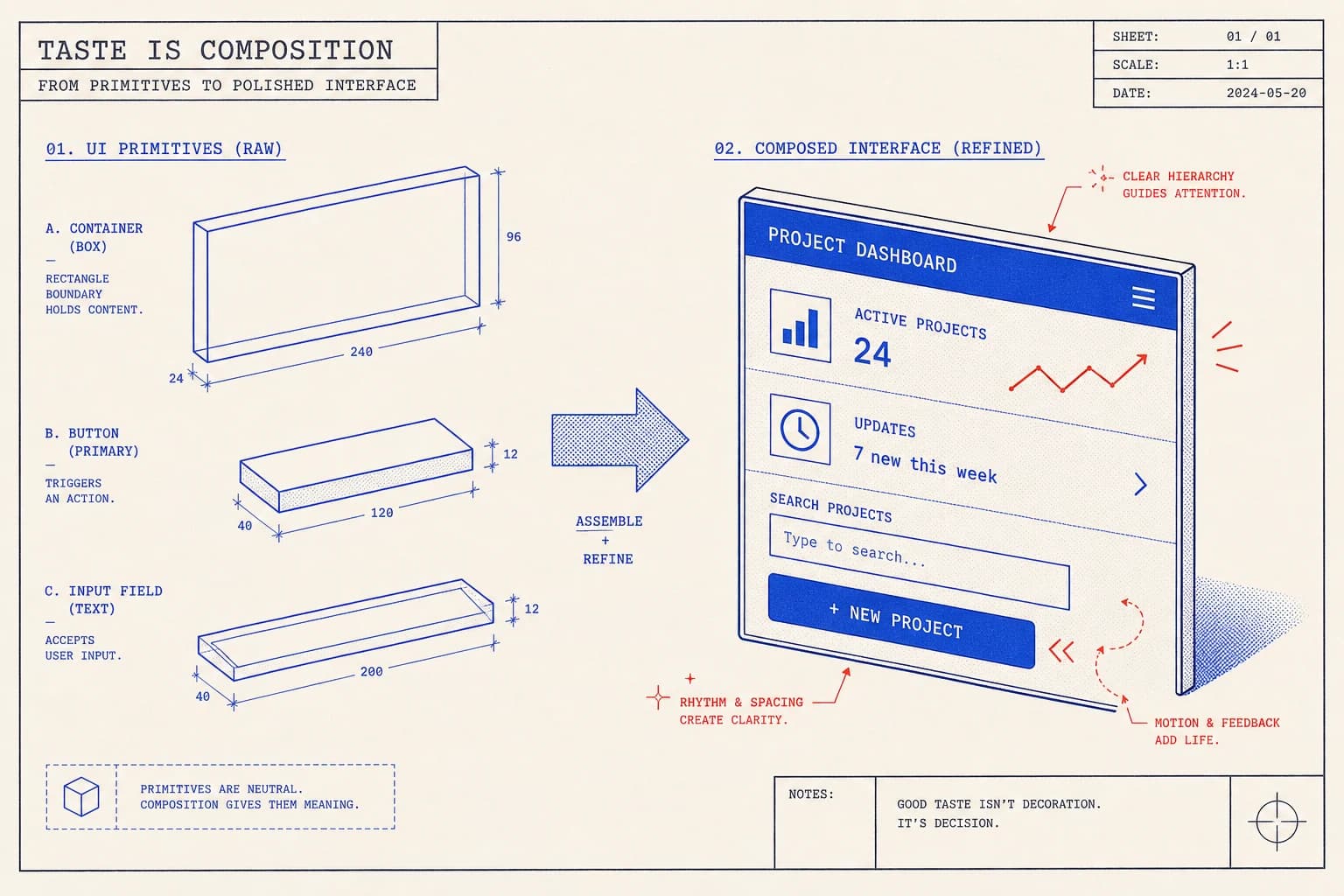
A model generating UI from nothing has to invent every decision at once: spacing, type scale, color, elevation, motion. With no system to defer to, each decision lands on the safest, most common option, and safe-times-five is the template you have seen a thousand times. The skilled human designer is not making more decisions than the model; they are making fewer, because a design system already made most of them. That is the missing piece. Hand the agent the system and you remove the decisions that produce slop.
1. The Component Foundation: shadcn/ui
shadcn/ui (github.com/shadcn-ui/ui) changed how this works by refusing to be a library. You do not install it and import black-box components. You run a CLI and the source code of each component lands in your repository, built on Radix primitives for accessibility and styled with Tailwind. You own it. That ownership is exactly what an AI agent needs: it can read the button, edit the button, and extend the button, because the button is a file in the project, not a dependency it has to reverse-engineer.
# shadcn/ui is not a dependency you install and import. You run a CLI and
# the component SOURCE lands in your repo, yours to read and edit.
npx shadcn@latest init
npx shadcn@latest add button card dialog input

# components/ui/button.tsx now lives in YOUR project.
# The agent edits this file directly. Nothing is hidden in node_modules,
# nothing is a black box it has to fight.
2. Drop-In Animated Effects: Magic UI
Magic UI (github.com/magicuidesign/magicui) is the companion most people pair with shadcn/ui. It is 150-plus animated components (shimmer buttons, marquees, animated beams, number tickers, bento grids) built with React, TypeScript, Tailwind, and Motion. They install the same way: source into your repo. For an agent, this turns motion from a thing it has to author keyframe by keyframe into a thing it selects. The animation is already correct; the agent just places it.
// Magic UI and React Bits install the same way: source into your repo.
npx shadcn@latest add "https://magicui.design/r/shimmer-button"

// Then it is just a component. Compose, do not hand-roll the animation:
import { ShimmerButton } from "@/components/ui/shimmer-button";

export function CTA() {
  return (
    <ShimmerButton className="px-6 py-3 text-base font-medium">
      Start a project
    </ShimmerButton>
  );
}
3. The Motion Library: React Bits
React Bits (github.com/DavidHDev/react-bits) is the largest of the three: a sprawling collection of animated text, animated backgrounds, and interactive components, each one a self-contained snippet you copy in. Where shadcn/ui is the structural foundation and Magic UI is the polished set of effects, React Bits is the deep bench you raid when a section needs a specific move: split-text reveals, gradient meshes, magnetic buttons, scroll-driven counters. Breadth is the point; the agent has options instead of inventing one.
4. The AI Visual Editor: Onlook
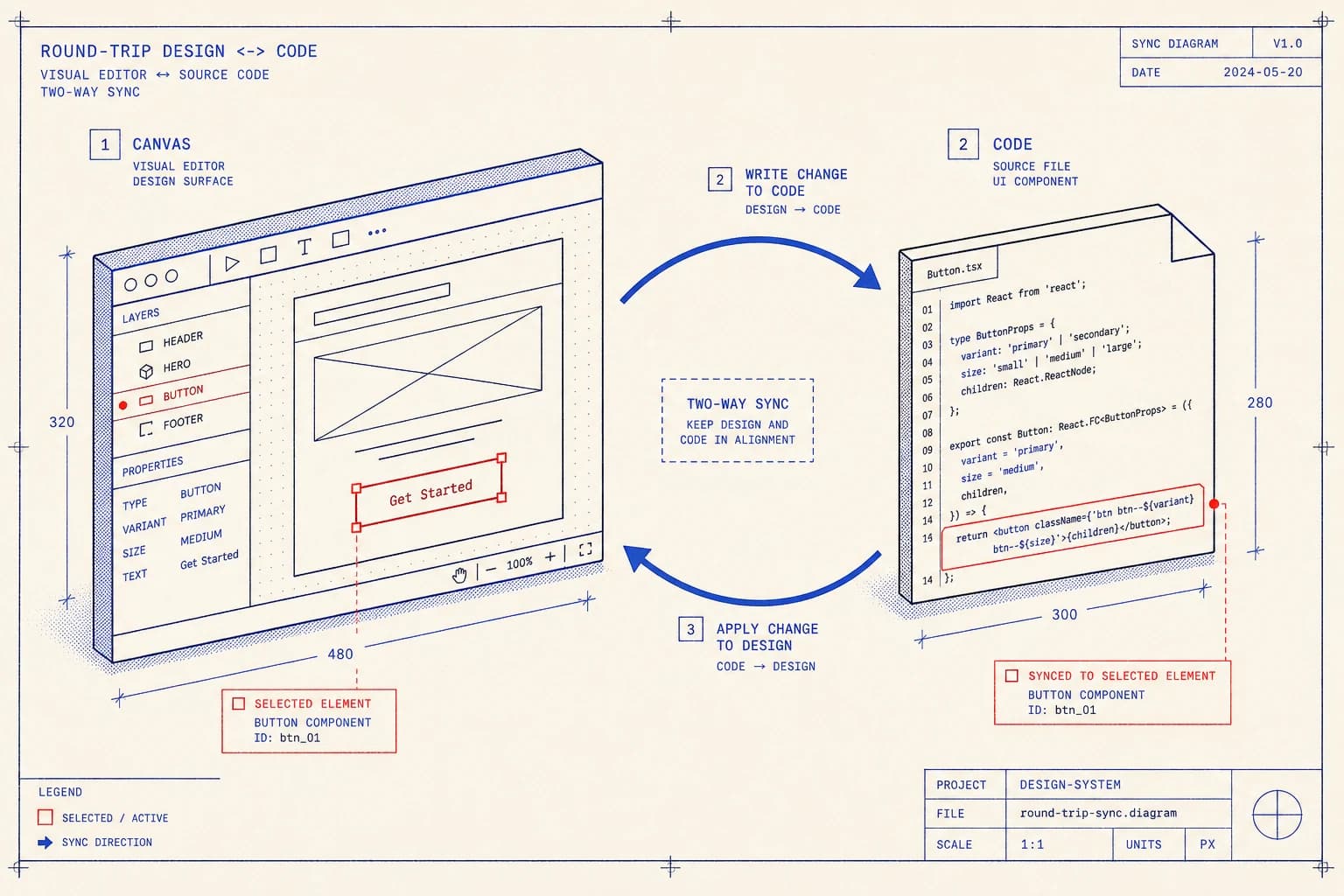
Onlook (github.com/onlook-dev/onlook) closes the loop the other four cannot: sight. It is an open-source visual editor for React, often described as a design tool for code. You see your running app, select an element, drag it, restyle it, and Onlook writes the change back into your source. For AI work this matters because the agent is otherwise blind; it edits code and hopes. Onlook gives a human a direct manipulation layer on top of the same code the agent writes, so design intent and source stay in one place instead of drifting apart.
5. Prompt to App: bolt.new
bolt.new (github.com/stackblitz/bolt.new) is the front door: describe an app in plain language and it builds and runs a full-stack project in the browser, powered by StackBlitz WebContainers so there is no local setup at all. It is the fastest path from idea to a running thing you can click. The catch is the one this whole post is about: prompt-to-app without a design system underneath just generates the generic faster. The right use is to scaffold with bolt.new, then bring the result onto a real foundation.
The Taste Is in the System
Put together, these five stop being a tool list and start being a pipeline for taste. The trick is to make the agent aware of them. I do that the same way I fix the stack for any project: I write it into AGENTS.md, the file the agent reads before it touches a line of code. Naming the design system as a hard rule is what keeps the agent composing instead of regressing.
## Design system (do NOT hand-roll UI)

- Primitives: shadcn/ui in components/ui/. Compose these. Never raw div soup.
- Motion and effects: Magic UI and React Bits. Reach for an existing
  animated component before writing a new keyframe.
- Tokens: color, spacing, radius and shadow come from tailwind.config only.
  No magic numbers, no one-off hex values.
- Type scale is 1.25. Max one accent color per view.
- Never ship the default browser focus ring; style focus-visible explicitly.
- When unsure how something should look, generate a reference image first,
  then build to it. Do not improvise layout.
- 01Scaffold fast with bolt.new when you need a running shape to react to.
- 02Stand the foundation on shadcn/ui, owned as source in components/ui/.
- 03Pull motion from Magic UI and React Bits instead of authoring keyframes.
- 04Direct it by eye in Onlook, so design changes land back in the same code.
- 05Encode all of it in AGENTS.md, so every session starts inside the system.
The model never lacked taste. It lacked a system to be tasteful inside. Hand it one and the slop disappears.
Generic AI UI is a tooling problem wearing a talent problem's clothes. Give the agent a foundation it owns, a motion vocabulary it can select from, and a way to see what it builds, and the centered-hero-three-cards reflex goes away on its own. That is the difference between an interface that looks AI-made and one that looks made. If you want that difference built into your product, it is what I do.
Build something with taste