Authentication is the part of every project that looks simple until you are three days in and debugging OAuth redirect loops at midnight. My requirement for NearYou was clear: email and password sign-in, Google social login, email verification, password reset, two-factor down the road, and zero monthly fees for a service that might sit idle for weeks during early development. Better Auth plus Resend is that stack. Let me show you exactly how it fits together.
Why Better Auth
Better Auth is a self-hosted authentication library for the JavaScript ecosystem. You install it as a package, plug it into your existing database through an adapter, and own the entire session and user table. There is no external auth service calling home. No per-monthly-active-user pricing that surprises you when a post goes viral. No vendor migration when pricing changes.
The feature set is production-ready out of the box: email and password, social providers (Google, Facebook, GitHub, and more), email verification, password reset, two-factor authentication via TOTP, and a Prisma adapter that generates the necessary schema models automatically. Sessions are stored in your own database. Token rotation is handled. The client library ships typed hooks for React and other frameworks so you are not writing your own useSession logic.
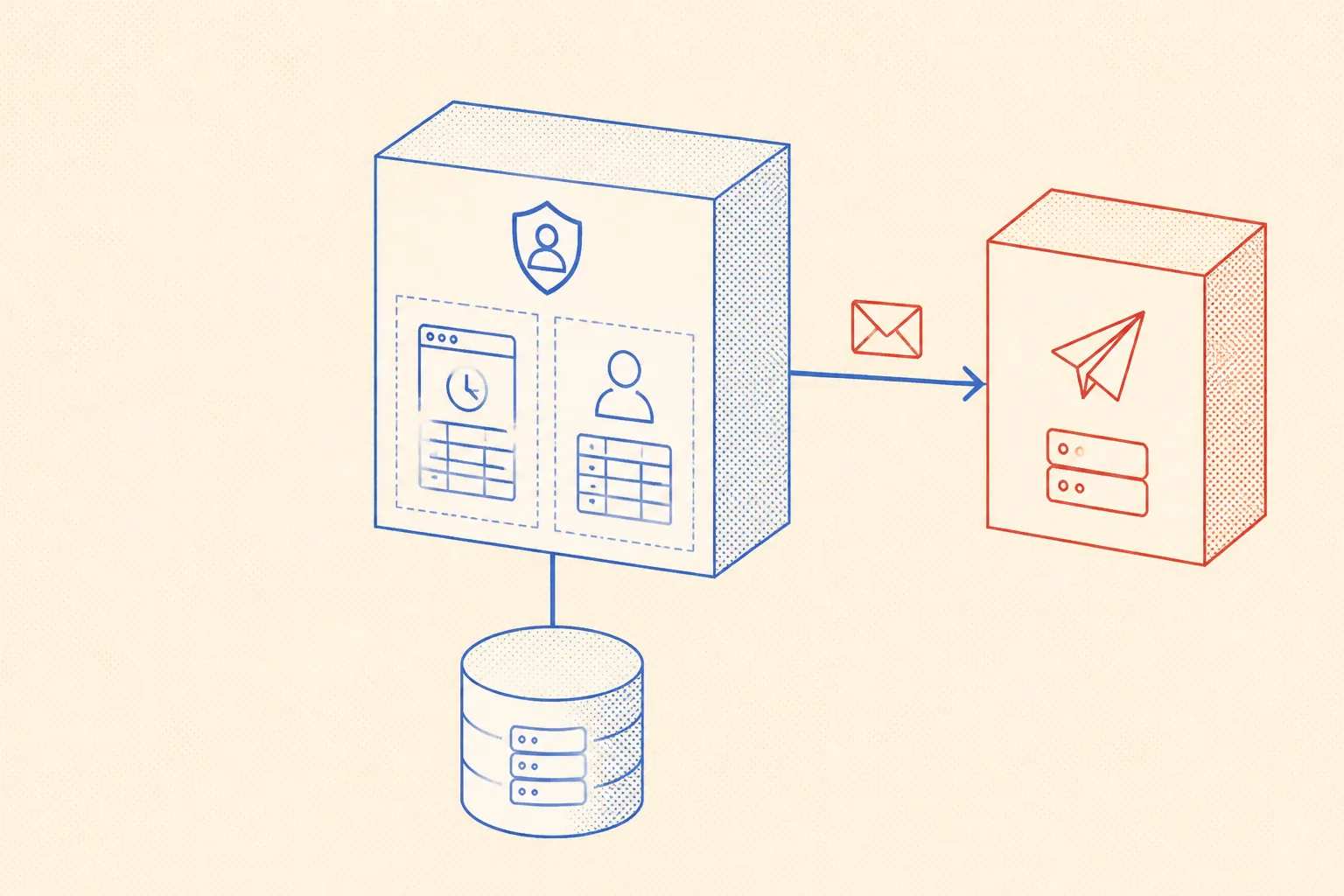
The one thing Better Auth does not include is email delivery. It exposes hooks, you wire up the transport. That is the correct separation: auth logic stays in Better Auth, delivery goes to a service built for exactly that job.
Why Resend for Transactional Email
Resend is a developer-first transactional email service. The free tier gives you 3,000 emails per month and 100 per day, which covers any early-stage project comfortably. Paid pricing is low enough that you do not need to worry about it until you have a real user base. The API is a single function call. There is no SMTP configuration, no nightmare of authentication headers, no XML anywhere.
The requirements are minimal but non-negotiable. You need a sending domain you control. You need to add three DNS records to that domain: an SPF record, a DKIM key Resend generates for you, and a DMARC policy. You need an API key from the Resend dashboard. And you need a clear, consistent from address that matches your verified domain. Once those are in place, delivery works and inbox placement is solid.
Wiring the Resend Call
The Resend Node SDK is a small wrapper around their REST API. Install it with npm install resend, export a typed function per email type, and call it from your Better Auth hooks. The key discipline: never build HTML strings inline in the auth config. Pull it into a dedicated lib/email.ts module so it is testable and replaceable.
import { Resend } from 'resend';

const resend = new Resend(process.env.RESEND_API_KEY);

export async function sendVerificationEmail(to: string, url: string) {
  await resend.emails.send({
    from: 'NearYou <noreply@mail.nearyou.app>',
    to,
    subject: 'Verify your email address',
    html:
      '<p>Click the link below to verify your account:</p>' +
      '<p><a href="' + url + '">' + url + '</a></p>',
  });
}
Keep RESEND_API_KEY in your .env file and never commit it. The from address must exactly match your verified domain. If you change the sending domain later, update this string and re-verify in the Resend dashboard. The function is deliberately simple: one send call, one error surface. Add proper error handling and logging before going to production.
Wiring Better Auth to Use It
Better Auth configuration lives in a single auth.ts file at the project root or in lib/. The emailVerification block is where you pass your send function. The hook receives the user object and a pre-built verification URL. You forward both to your Resend wrapper. The URL is signed and time-limited by Better Auth internally, so you do not manage tokens yourself.
import { betterAuth } from 'better-auth';
import { prismaAdapter } from 'better-auth/adapters/prisma';
import { prisma } from './lib/prisma';
import { sendVerificationEmail } from './lib/email';

export const auth = betterAuth({
  database: prismaAdapter(prisma, { provider: 'mysql' }),
  emailAndPassword: {
    enabled: true,
    requireEmailVerification: true,
  },
  socialProviders: {
    google: {
      clientId: process.env.GOOGLE_CLIENT_ID as string,
      clientSecret: process.env.GOOGLE_CLIENT_SECRET as string,
    },
  },
  emailVerification: {
    sendOnSignUp: true,
    autoSignInAfterVerification: true,
    sendVerificationEmail: async ({ user, url }) => {
      await sendVerificationEmail(user.email, url);
    },
  },
});
The requireEmailVerification: true flag blocks sign-in until the email is confirmed. autoSignInAfterVerification: true means the user lands in the app immediately after clicking the link in their inbox, no second login step. This combination gives you a clean onboarding flow with minimal code.
- Password reset: add
sendResetPasswordto theemailAndPasswordblock, same pattern as the verification hook. - Social providers: set
google.clientIdandgoogle.clientSecretfrom environment. Better Auth handles the OAuth callback route automatically. - Two-factor: add
import { twoFactor } from "better-auth/plugins"and include it in thepluginsarray. Better Auth ships the TOTP logic. - Session expiry: set
session.expiresInandsession.updateAgeto control how long tokens live and when they auto-refresh.
DNS Requirements: the Part That Blocks You
Email deliverability lives and dies by DNS. Resend will not send from an unverified domain. Even if you bypass that check somehow, emails land in spam without SPF and DKIM alignment. This is the one step that has a real waiting period: DNS changes can take up to 48 hours to propagate globally, though in practice it is usually under an hour with modern registrars.
The three records you need on your sending subdomain: SPF tells receiving servers which hosts are allowed to send for your domain. DKIM attaches a cryptographic signature to outbound messages so recipients can verify they have not been tampered with. DMARC tells receiving servers what to do when SPF or DKIM checks fail. Resend shows you the exact values to paste into your DNS provider after you add the domain.

Persisting Config in a Markdown Memory File
I use Claude Code as an AI coding agent on NearYou. The agent writes auth config, wires email hooks, updates environment files, and debugs delivery issues. For this to work reliably across sessions, the agent needs persistent memory of the exact email setup: which domain is verified, what the from address is, which DNS records are in place, and what the environment variable names are.
Without a memory file, the agent has to ask, infer, or guess every time a new session starts. It might use the wrong from address, reference a domain that is not verified, or wire the hook to an env var with a different name than what is actually in .env. These are small mistakes that cost real debugging time.
The solution is a short, precise section in the project AGENTS.md (or a dedicated .claude/email.md if the project is large). Keep the sending domain, the from address, the DNS record checklist, and the hook wiring notes there. The agent reads this file at session start and operates the email setup correctly on the first attempt, every time.
## Auth + Email (Better Auth + Resend)

Sending domain: mail.nearyou.app
From address:   noreply@mail.nearyou.app
Resend API key: env var RESEND_API_KEY

### DNS records required on mail.nearyou.app
- SPF:   TXT  "v=spf1 include:amazonses.com ~all"
- DKIM:  TXT  resend._domainkey  <value from Resend dashboard>
- DMARC: TXT  _dmarc  "v=DMARC1; p=quarantine; rua=mailto:dmarc@nearyou.app"

### Email hooks wired in auth.ts
- emailVerification.sendVerificationEmail  -> sendVerificationEmail()
- emailAndPassword.sendResetPassword       -> sendPasswordResetEmail()

### Gotchas
- Resend requires the from domain to be verified before any email sends.
- DNS propagation can take up to 48h; verify in the Resend dashboard.
- Always set autoSignInAfterVerification: true so the UX is not broken post-verify.
- Never hardcode the from address; keep it in this file so the agent reads it.
This file is the difference between an agent that confidently configures your email stack and one that asks you three questions before writing a single line. It is not documentation for humans. It is a compact context document for a system that cannot see your Resend dashboard, your DNS records, or your .env file. Every line in it earns its place by preventing a real mistake.
The Full Stack in Production
On NearYou, Better Auth and Resend have been in production since the first beta users. The auth flow: sign up with email and password or Google, receive a verification email sent via Resend within a couple of seconds, click the link, land in the app. Password reset uses the same Resend wrapper. Two-factor via TOTP is wired in but optional for users. The entire auth surface is self-hosted, no vendor dependency beyond Resend for delivery.
The operational cost is negligible. Resend free tier handles the current user base with room to spare. When it grows past the free limit, the per-email cost is low enough that it stays a rounding error in the infrastructure budget. Better Auth has no per-user cost at all. Compare that to Auth0 or Clerk pricing at scale and the arithmetic is not close.
The best auth setup is the one you own, understand, and can debug at 2 AM without opening a vendor support ticket.
If you are building a new JavaScript or TypeScript project and need auth, start here. Install Better Auth, connect it to your existing Prisma database, add the Resend wrapper, drop the DNS records, and fill in your AGENTS.md. You will have a working, production-grade auth system in half a day, and you will spend exactly zero time worrying about it for the next year.