"Works on my machine" is a confession, not a status update. The fix is to stop describing the environment in a wiki nobody reads and start defining it in a file everyone runs. Docker Compose is that file. The whole NearYou stack, Next.js app, background worker, MySQL, Redis, MinIO, and Caddy, comes up with docker compose up and nothing else. On my laptop, on CI, on a fresh Hetzner box: the same command, the same result.
The stack that motivated this
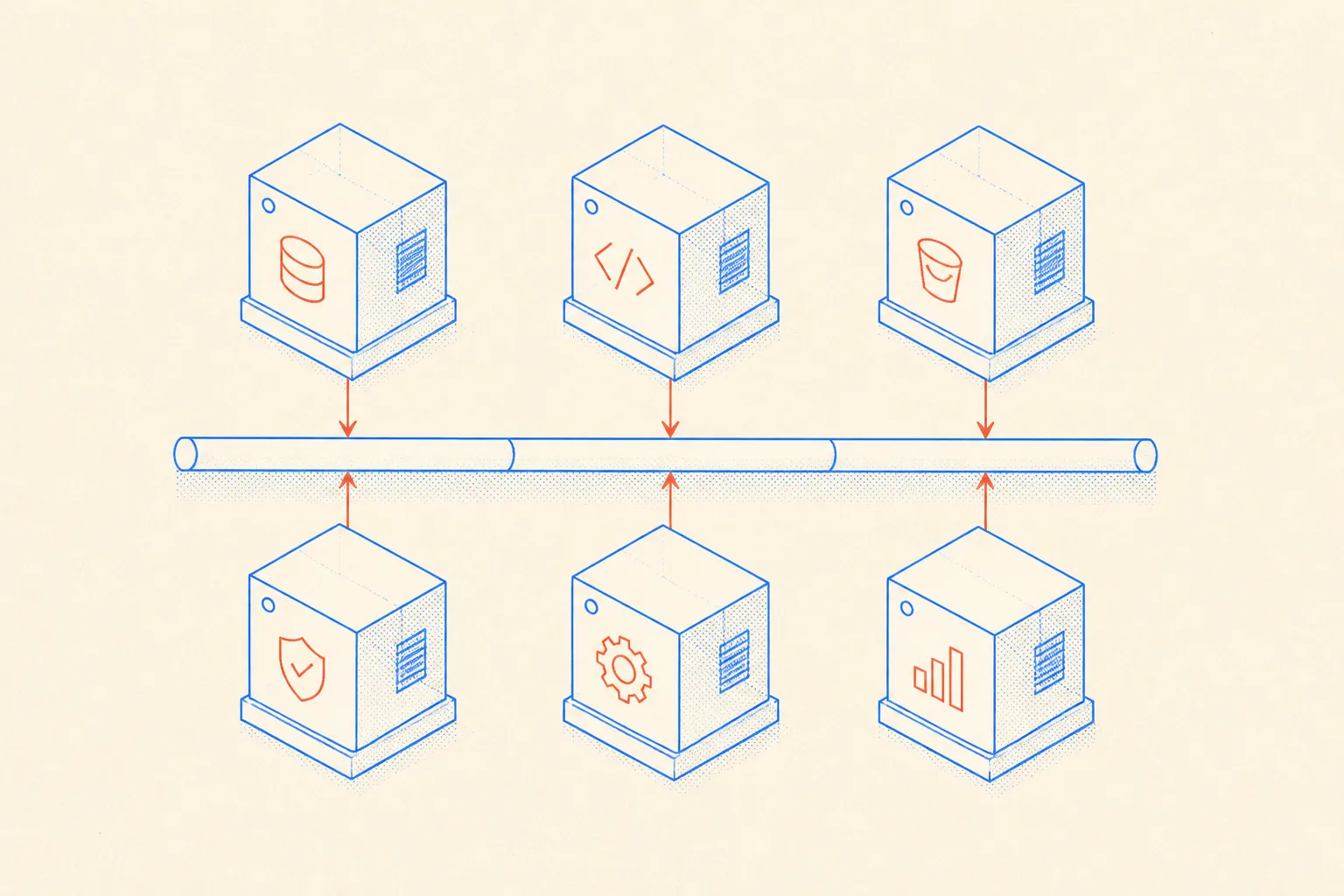
NearYou is a location-based offer platform. The backend needs a relational database for offers and businesses, a cache for session data and rate limiting, object storage for uploaded media, a worker process for sending notifications, and a reverse proxy that terminates TLS and routes traffic. That is five moving parts before a single line of product code. Without Docker, that is five separate installs with five version constraints that drift the moment a second developer joins, or the moment you provision a new server.
With Compose, those five parts are twenty lines of YAML and a Dockerfile. The entire environment is a git-committable artifact. A new contributor clones the repo, runs docker compose up, and is productive in five minutes. Not five minutes of typing, five minutes of container pulls.
The real docker-compose.yml
This is a trimmed but representative version of the NearYou Compose file. The real one adds environment variables from a .env file and some label annotations for Caddy, but the shape is exactly this:
services:
  mysql:
    image: mysql:8.4
    environment:
      MYSQL_ROOT_PASSWORD: ${DB_ROOT_PASSWORD}
      MYSQL_DATABASE: nearyou
    volumes:
      - mysql_data:/var/lib/mysql
    healthcheck:
      test: ["CMD", "mysqladmin", "ping", "-h", "localhost"]
      interval: 5s
      timeout: 5s
      retries: 10
      start_period: 20s

  redis:
    image: redis:7-alpine
    volumes:
      - redis_data:/data
    healthcheck:
      test: ["CMD", "redis-cli", "ping"]
      interval: 5s
      timeout: 3s
      retries: 5

  minio:
    image: minio/minio:latest
    command: server /data --console-address ":9001"
    environment:
      MINIO_ROOT_USER: ${MINIO_ACCESS_KEY}
      MINIO_ROOT_PASSWORD: ${MINIO_SECRET_KEY}
    volumes:
      - minio_data:/data
    healthcheck:
      test: ["CMD", "mc", "ready", "local"]
      interval: 10s
      timeout: 5s
      retries: 5

  app:
    build:
      context: .
      dockerfile: Dockerfile
      target: runner
    environment:
      DATABASE_URL: mysql://root:${DB_ROOT_PASSWORD}@mysql:3306/nearyou
      REDIS_URL: redis://redis:6379
      MINIO_ENDPOINT: http://minio:9000
    depends_on:
      mysql:
        condition: service_healthy
      redis:
        condition: service_healthy
      minio:
        condition: service_healthy

  worker:
    build:
      context: .
      dockerfile: Dockerfile
      target: worker
    environment:
      DATABASE_URL: mysql://root:${DB_ROOT_PASSWORD}@mysql:3306/nearyou
      REDIS_URL: redis://redis:6379
    depends_on:
      mysql:
        condition: service_healthy
      redis:
        condition: service_healthy

  caddy:
    image: caddy:2-alpine
    ports:
      - "80:80"
      - "443:443"
    volumes:
      - ./Caddyfile:/etc/caddy/Caddyfile
      - caddy_data:/data
    depends_on:
      - app

volumes:
  mysql_data:
  redis_data:
  minio_data:
  caddy_data:
Healthchecks and depends_on: the part people skip
Most Docker tutorials show depends_on as a list of service names. That form only controls start order, not readiness. MySQL starts, Docker marks the dependency satisfied, and the app begins connecting before the database has finished initializing. The result is a flaky startup that fails roughly one in five times and produces a stack trace that looks like a real error.
The fix is the condition: service_healthy form, which requires a passing healthcheck before Docker unblocks the dependent service. Write the healthcheck for each stateful service. For MySQL that is mysqladmin ping. For Redis it is redis-cli ping. For MinIO it is the mc ready local command. With all three in place, the app only starts when all three backing services are genuinely ready to accept connections. Startup stops being a race.
The Dockerfile: one build, two targets
The Compose file references two build targets: runner for the Next.js app and worker for the background process. Both come from the same Dockerfile using multi-stage builds. The app and worker stages share the same base and the same Node install, they just have different entrypoints. This means one image build covers both services, and there is zero divergence between the runtime that serves requests and the one that processes jobs.
# Dockerfile (condensed for clarity)
FROM node:22-alpine AS base
WORKDIR /app
COPY package*.json ./
RUN npm ci --omit=dev

FROM base AS builder
COPY . .
RUN npm run build

# The web server target
FROM base AS runner
COPY --from=builder /app/.next/standalone ./
COPY --from=builder /app/.next/static ./.next/static
COPY --from=builder /app/public ./public
ENV NODE_ENV=production
CMD ["node", "server.js"]

# The worker target
FROM base AS worker
COPY --from=builder /app/dist/worker ./worker
ENV NODE_ENV=production
CMD ["node", "worker/index.js"]
In production, docker build --target runner and docker build --target worker produce two lean images that share the same layer cache. The worker is not a different stack, it is the same dependencies with a different entry point. That uniformity matters when you are debugging: no "but it works in the app container" surprises.
Named volumes: data that survives container restarts
Containers are meant to be disposable. The data they hold is not. Named volumes are the mechanism that keeps them separate. When you run docker compose down without --volumes, the containers stop and are removed, but mysql_data, redis_data, and minio_data persist on the host. Run docker compose up again and all three databases are exactly where they were.
- Named volumes live under
/var/lib/docker/volumes/and survive container lifecycle. - Bind mounts (a host path in the volume definition) are the right choice for the Caddyfile, because that is config you edit, not data you protect.
docker compose down --volumesis the nuclear option: it drops the volumes. Never run that in production without a backup in hand.- Back the MySQL volume externally. Named volumes are not backups. A nightly
mysqldumppiped off-box is what makes the volume safe to rely on.

Giving an AI agent long-term memory of the stack
I use Claude Code as my primary coding agent on this project. The model knows Docker generally, but it does not know which image tags we pin, which services need healthchecks with which commands, what the volume names are, or why the MariaDB adapter is in the Prisma config instead of the MySQL one. Without that context, every agent session that touches infrastructure starts from scratch and produces plausible-but-wrong output.
The fix is a persistent markdown memory file committed to the repo. AGENTS.md (or a dedicated DOCKER.md) records the conventions, commands, and gotchas in plain text. The agent reads it at the start of any session that involves the stack. Because the file lives in git, it stays accurate as the stack evolves: update the Compose file, update the doc, commit both.
Here is the actual format I use. It is not a tutorial, it is a dense reference the agent can ingest in ten seconds:
# Docker Stack Reference (NearYou)

## Services
| Service | Image            | Role                          |
|---------|------------------|-------------------------------|
| mysql   | mysql:8.4        | Primary database              |
| redis   | redis:7-alpine   | Sessions, rate limits, queues |
| minio   | minio/minio      | Object storage (S3-compat)    |
| app     | build ./         | Next.js app (target: runner)  |
| worker  | build ./         | BullMQ worker (target: worker)|
| caddy   | caddy:2-alpine   | Reverse proxy, TLS            |

## Key commands
- Start: `docker compose up -d`
- Rebuild app after code change: `docker compose build app worker && docker compose up -d app worker`
- Tail logs: `docker compose logs -f app worker`
- MySQL shell: `docker compose exec mysql mysql -u root -p nearyou`
- MinIO CLI: `docker compose exec minio mc ls local/uploads`

## Healthchecks
Every stateful service has a healthcheck. The app and worker use
`depends_on: condition: service_healthy`. Never remove them.
MySQL needs `start_period: 20s` because it is slow on first init.

## Volumes
Named volumes: mysql_data, redis_data, minio_data, caddy_data.
`docker compose down` is safe. `docker compose down --volumes` deletes data.

## Production rebuild (fresh Hetzner box)
1. Install Docker and Docker Compose plugin.
2. Clone repo, copy .env from secrets manager.
3. `docker compose pull && docker compose build`
4. `docker compose up -d`
5. Restore latest MySQL dump into mysql container.

## Gotchas
- Prisma uses the MariaDB adapter against MySQL 8.4. Do not swap to the MySQL
  adapter without testing migrations first.
- MinIO healthcheck uses `mc ready local`, not curl. The mc binary is bundled
  in the minio image.
- Caddy auto-provisions TLS. Ports 80 and 443 must be open. Caddyfile lives at
  ./Caddyfile in the repo root.
When the agent opens a session to add a new service, debug a startup failure, or write a migration script, it reads this file first. It knows the image pinned to MySQL before writing a healthcheck command. It knows not to touch the volume flags before suggesting a teardown. The quality of the output correlates directly with the quality of this file. Keeping it current is five minutes of work per change. The alternative is re-explaining the entire stack every session.
Rebuilding a fresh server in minutes
The final test of a Compose-defined stack is: how long does it take to get from a blank Hetzner box to a running production environment? For NearYou the answer is roughly fifteen minutes, and most of that is waiting for Docker to pull images.
- Provision the box, install the Docker Engine and the Compose plugin.
- Clone the repo and drop the
.envfile from the secrets manager. docker compose pullto pre-fetch images, thendocker compose buildfor the custom targets.docker compose up -dto start everything in detached mode.- Restore the latest MySQL dump:
docker compose exec -T mysql mysql -u root -p nearyou < backup.sql. - Point the DNS A record at the new IP. Caddy provisions TLS automatically on the first request.
There is no runbook. There is no checklist you could forget an item from. The environment is defined in the repo, the commands are in the DOCKER.md, and the agent can execute the restore procedure without me narrating it step by step. That is the compound benefit: the Compose file makes the stack reproducible, and the markdown memory makes the stack agent-operable. Together they mean a dead server is a fifteen-minute nuisance, not a crisis.
The environment is code. If it is not in the repo, it does not exist.