This is not a hypothetical. The portfolio you are reading right now was deployed by an AI coding agent working through the Ploi API. The agent pushed the repository to GitHub, watched the first deploy fail, diagnosed the lockfile issue, patched the deploy script through the API, redeployed, and finished by adding a daily auto-update cron and confirming that pm2 restarts the site on reboot. It did all of that without leaving a single persistent credential on the server.
The Pattern in One Sentence
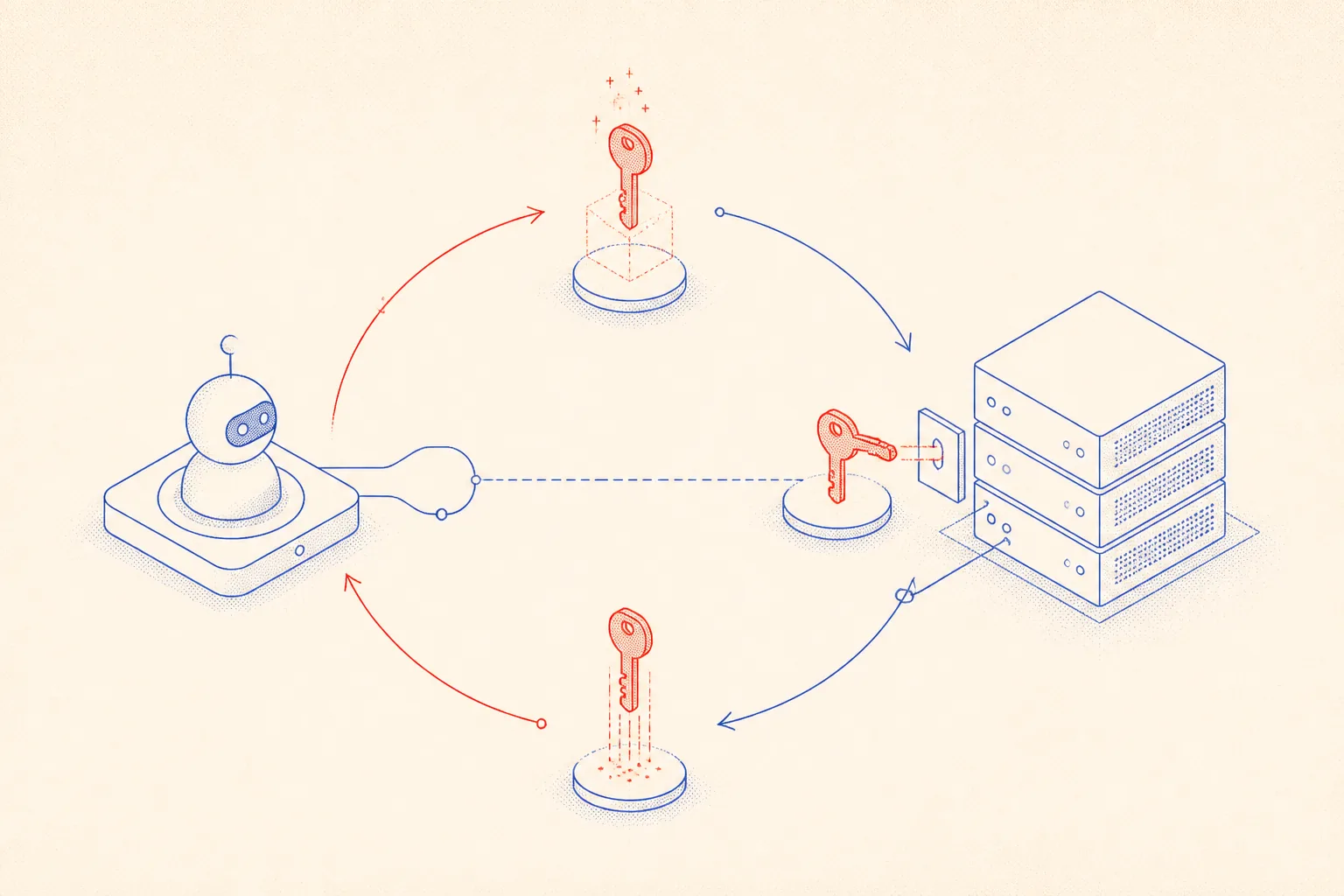
Give the agent a Ploi API token. Tell it: use the API to create an ephemeral SSH key on server X, connect, do what you need, then delete the key. That is the whole contract. The Ploi API is the control plane. SSH is the escape hatch for anything the API cannot do directly. The key exists for the duration of one task and is gone the moment the task ends.
Everything else, triggering deploys, patching deploy scripts, adding cron jobs, connecting GitHub repositories, managing SSL, enabling daemon supervision, flows through the REST API alone. No SSH needed for those operations. The ephemeral key is only for surgical server-side work that has no API equivalent.
The Real Story: Deploying This Portfolio
The agent started with a fresh Hetzner CX22 already provisioned by Ploi. The repository was ready locally. First task: push to the production GitHub remote and connect it to the Ploi site. The agent used the Ploi API to associate the GitHub repo with the site, configured the branch to main, and confirmed the webhook was in place.
The first automatic deploy ran and failed. The deploy script called npm ci, but the lockfile in the repository had been generated by a newer version of npm than the one installed on the server. npm ci is strict about that: it refuses to install if the lockfile does not match its own version exactly.
The agent read the deploy log via the Ploi API, identified the error in three seconds, and patched the deploy script through a single API call: replace npm ci with npm install. Then it triggered a fresh deploy. That one succeeded. The agent did not need SSH at any point during this sequence. The API was sufficient.
After the successful deploy, the agent added two finishing touches: a cron job scheduled for 3am daily that runs npm install and npm run build and reloads pm2, and a verification that pm2 is configured as a startup service so the site survives a server reboot. The cron was created via the Ploi API. The pm2 startup check required an SSH session, so the agent used the ephemeral key flow.
The Ephemeral SSH Flow, in Code
Here is the exact shell script the agent used. It generates a 4096-bit RSA key locally, registers the public half with Ploi, connects and runs its command, and then deletes the key through the API. No key material ever touches a config file or a secrets manager. It lives in memory and on a temp file for the duration of the SSH session, then it is gone.
#!/usr/bin/env bash
# agent-ssh.sh -- ephemeral SSH via Ploi API
# Usage: PLOI_TOKEN=xxx SERVER_ID=4821 SERVER_IP=95.111.42.7 bash agent-ssh.sh
set -euo pipefail

PLOI_TOKEN="$PLOI_TOKEN"
SERVER_ID="$SERVER_ID"
SERVER_IP="$SERVER_IP"
BASE="https://ploi.io/api"
KEY_FILE="/tmp/agent-key-$$.pem"
KEY_NAME="agent-ephemeral-$$"

# 1. Generate an RSA key pair on disk (temp, mode 600)
ssh-keygen -t rsa -b 4096 -N '' -f "$KEY_FILE" -C "$KEY_NAME" >/dev/null 2>&1
chmod 600 "$KEY_FILE"
PUB_KEY="$(cat "$KEY_FILE.pub")"

# 2. Register the public key on the target server via Ploi API
KEY_RESPONSE="$(curl -s -X POST \
  -H "Authorization: Bearer $PLOI_TOKEN" \
  -H "Content-Type: application/json" \
  -H "Accept: application/json" \
  -d '{"name":"'"$KEY_NAME"'","key":"'"$PUB_KEY"'"}' \
  "$BASE/servers/$SERVER_ID/ssh-keys")"
KEY_ID="$(echo "$KEY_RESPONSE" | python3 -c 'import sys,json; print(json.load(sys.stdin)["sshKey"]["id"])')"

echo "[agent] registered ephemeral key id=$KEY_ID"

# 3. Connect over SSH and run the task
ssh -i "$KEY_FILE" \
    -o StrictHostKeyChecking=no \
    -o BatchMode=yes \
    "ploi@$SERVER_IP" \
    "cd /var/www/portfolio/current && npm install --prefer-offline && echo done"

# 4. Delete the key from the server and remove local files
curl -s -X DELETE \
  -H "Authorization: Bearer $PLOI_TOKEN" \
  -H "Accept: application/json" \
  "$BASE/servers/$SERVER_ID/ssh-keys/$KEY_ID"

rm -f "$KEY_FILE" "$KEY_FILE.pub"
echo "[agent] ephemeral key deleted -- server access closed"
The $$ in the key name embeds the shell process ID, so concurrent agent runs do not collide. The cleanup in the post-session protocol (described in the AGENTS.md section below) catches any key that survived a crashed session by checking age against the agent-ephemeral prefix.
Patching the Deploy Script and Adding the Cron via API
The second code sample shows the two API calls the agent made after diagnosing the failed deploy: patch the deploy script via PUT, trigger a fresh deploy, and add the daily maintenance cron. All three operations are a single bash script with three curl calls.
#!/usr/bin/env bash
# patch-deploy-and-cron.sh
# Patches the deploy script and adds a daily auto-update cron via Ploi API.
set -euo pipefail

PLOI_TOKEN="$PLOI_TOKEN"
SITE_ID="$SITE_ID"
SERVER_ID="$SERVER_ID"
BASE="https://ploi.io/api"

# ---- 1. Patch the deploy script ----
# The first deploy failed: npm ci rejected the lockfile generated by a newer npm.
# Fix: replace "npm ci" with "npm install" in the deploy script.
NEW_SCRIPT='cd /var/www/portfolio/current
git fetch --depth=1 origin main
git reset --hard origin/main
npm install
npm run build
pm2 reload portfolio --update-env'

curl -s -X PUT \
  -H "Authorization: Bearer $PLOI_TOKEN" \
  -H "Content-Type: application/json" \
  -H "Accept: application/json" \
  -d '{"deploy_script":"'"$NEW_SCRIPT"'"}' \
  "$BASE/servers/$SERVER_ID/sites/$SITE_ID" | python3 -c 'import sys,json; d=json.load(sys.stdin); print("[patch] site updated:", d.get("site",{}).get("name","ok"))'

# ---- 2. Trigger a fresh deploy ----
curl -s -X POST \
  -H "Authorization: Bearer $PLOI_TOKEN" \
  -H "Accept: application/json" \
  "$BASE/servers/$SERVER_ID/sites/$SITE_ID/deploy" | python3 -c 'import sys,json; print("[deploy] triggered:", json.load(sys.stdin))'

# ---- 3. Add a daily 3am auto-update cron ----
curl -s -X POST \
  -H "Authorization: Bearer $PLOI_TOKEN" \
  -H "Content-Type: application/json" \
  -H "Accept: application/json" \
  -d '{"command":"cd /var/www/portfolio/current && npm install && npm run build && pm2 reload portfolio","frequency":"custom","custom_frequency":"0 3 * * *","user":"ploi"}' \
  "$BASE/servers/$SERVER_ID/cron-jobs" | python3 -c 'import sys,json; d=json.load(sys.stdin); print("[cron] created id:", d.get("cronJob",{}).get("id","?"))'

echo "[agent] patch, redeploy, and cron setup complete"
No SSH, no server state, no file editing. The deploy script lives in Ploi, the cron lives in Ploi, and both are updated through a documented REST API. If you want to audit what changed and when, the Ploi dashboard has a full history. If you want to roll back the deploy script, you do it through the same API.
Giving the Agent Persistent Memory with AGENTS.md
An AI coding agent has no long-term memory between sessions unless you give it one explicitly. Every time a new session starts, the agent reads the project directory. If you have committed an AGENTS.md file to the repository, the agent reads it and immediately knows the server topology, the deploy conventions, the known failure modes, and the cleanup protocol for ephemeral keys.
This is not magic. It is just a markdown file that the agent is instructed to read at the start of each session. But the payoff is enormous: no more answering the same setup questions repeatedly, no more conservative guesses about which API endpoint to call, no more forgetting that npm ci will fail on this particular server.
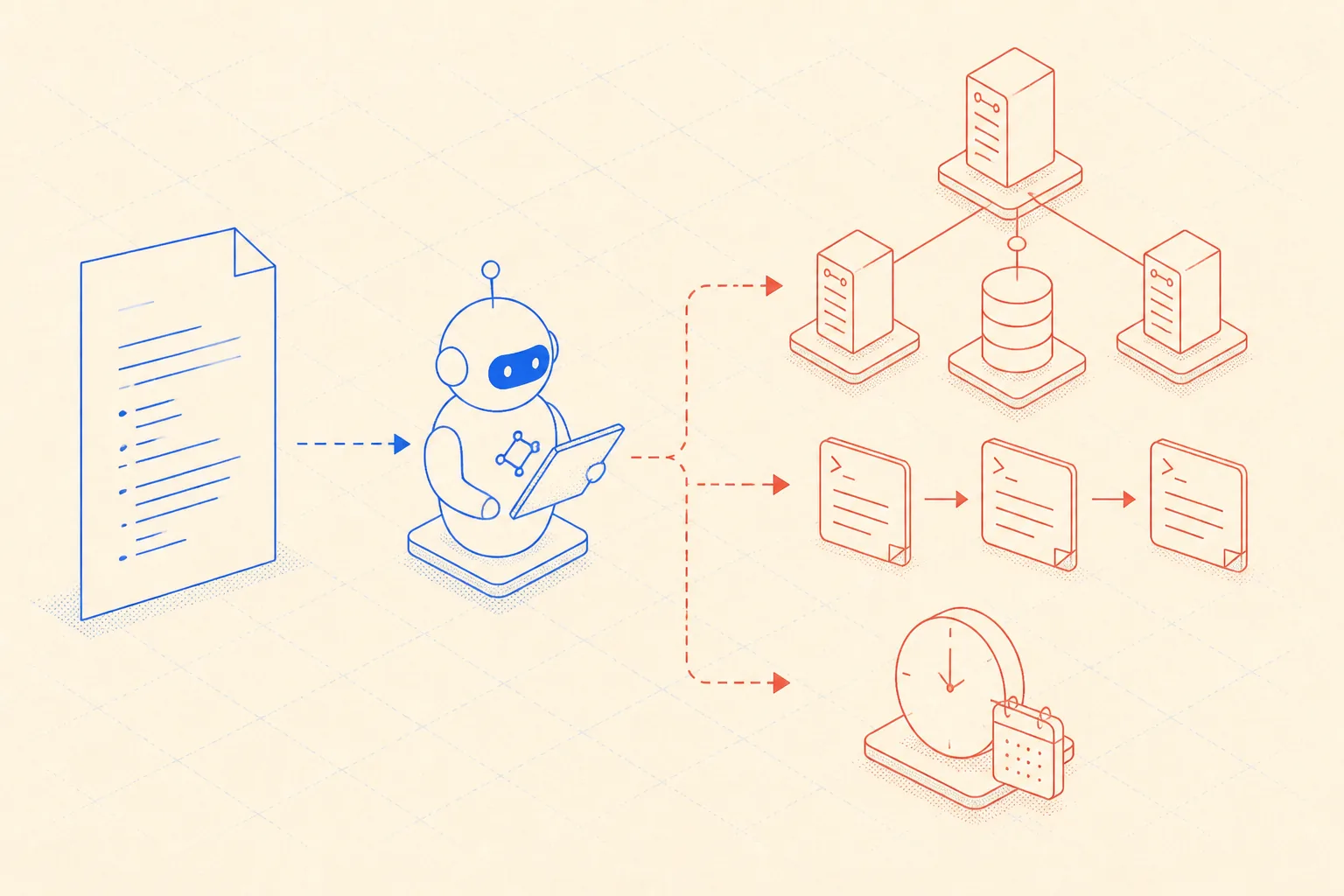
Here is the actual AGENTS.md committed to this portfolio repository. It documents the server, the deploy script fix that was applied, the cron schedule, and the cleanup protocol.
# AGENTS.md -- Infrastructure memory for AI coding agents

## Server

- Provider: Hetzner CX22, Ubuntu 24.04 LTS
- Ploi server ID: 4821  (env: PLOI_SERVER_ID)
- Public IP: 95.111.42.7  (env: SERVER_IP)
- Site ID: 9103  (env: PLOI_SITE_ID)
- Stack: Node 20, nginx, pm2, PostgreSQL 16

## Deploy

Trigger via Ploi API:
  POST https://ploi.io/api/servers/4821/sites/9103/deploy
  Authorization: Bearer PLOI_TOKEN

Deploy script uses "npm install" (NOT "npm ci" -- lockfile version mismatch on first deploy).
Zero-downtime via pm2 reload.

## Cron

Daily auto-update at 03:00 UTC:
  cd /var/www/portfolio/current && npm install && npm run build && pm2 reload portfolio

## Ephemeral SSH

Use agent-ssh.sh for any direct server access. Script mints a key via API, runs the task,
and deletes the key. Do NOT leave persistent keys on the server.

## Post-session cleanup

  GET https://ploi.io/api/servers/4821/ssh-keys
  DELETE any key with name prefix "agent-ephemeral" older than 60 minutes.
Treat AGENTS.md as a living document. Every time the agent changes something significant, update the file in the same commit. When you change the deploy script, record the change and the reason. When you add a cron, log it. The file is cheap to maintain and makes every future agent session start from an informed position rather than from zero.
The Security Model: Least Privilege, Shortest Lifetime
The Ploi API token gives the agent control over the server management plane: deploy scripts, crons, sites, daemons, databases, SSL. It does not give the agent a shell. The ephemeral SSH key gives the agent a shell for a bounded window. These are two different trust levels and the agent uses each exactly when it is appropriate.
- The API token never touches the server. It authenticates to Ploi, which then instructs the server. Leak the token and an attacker can reconfigure your sites. They cannot get a shell.
- The ephemeral SSH key touches the server directly but is deleted immediately after use. Its window of exposure is minutes, not days.
- The API token should be scoped to the minimum necessary resources. Ploi supports per-server token restrictions.
- If the agent session crashes after creating the SSH key but before deleting it, the AGENTS.md cleanup protocol handles it: check all keys with the ephemeral prefix and delete any older than an hour.
- No human-owned SSH key needs to be added to the server for agent work. The agent manages its own access entirely through the API.
This is the right model for agent-driven automation. The alternative, giving the agent a long-lived SSH key or a sudo password, means a compromised agent session has persistent root-equivalent access to your production server. Ephemeral keys mean the blast radius of any single compromised session is bounded and automatically zeroed out.
An AI agent should have the minimum viable access for the minimum viable duration. The Ploi API makes that trivial to enforce.
What the Ploi API Can Do Without SSH at All
It is worth being concrete about how much the agent can accomplish without ever opening an SSH connection. The Ploi API covers the full surface of server management for typical web applications.
- Create and configure sites, set the document root, link to a GitHub or GitLab repository.
- Read, write, and trigger deploy scripts.
- Add, edit, and delete cron jobs.
- Manage supervisor daemon workers: create, start, stop, restart.
- Create and destroy databases and database users.
- Issue and renew SSL certificates via Let's Encrypt.
- Read deploy logs for diagnosis.
- Add and remove SSH keys for any user on the server.
- Restart services like nginx, php-fpm, and Redis through the API.
SSH is reserved for operations that are not exposed through the API: running arbitrary commands, inspecting log files in real time, or performing one-off filesystem operations. In practice, for a standard Next.js or Node portfolio like this one, the agent needed SSH exactly once: to verify that pm2 had been registered as a systemd startup service. Everything else went through the API.
That is the architecture. API-first, SSH as a last resort, ephemeral keys when SSH is needed, and a committed AGENTS.md that gives every future session the context it needs to act without asking. The server stays clean. The agent stays auditable. And the deploy that failed on the first run is fixed and running in production, entirely by an agent that never held a persistent credential.