Running production infrastructure as a solo developer used to mean one of two things: pay for a managed platform that adds 40 percent to your hosting bill, or spend Sunday evenings reading nginx configs and debugging certbot hooks. Ploi is a third path. It sits on top of your own VPS, handles provisioning and deployments and SSL and cron and queues, and stays out of your way. The server is yours. Ploi just talks to it over SSH.
Provisioning a Hardened VPS in Under Ten Minutes
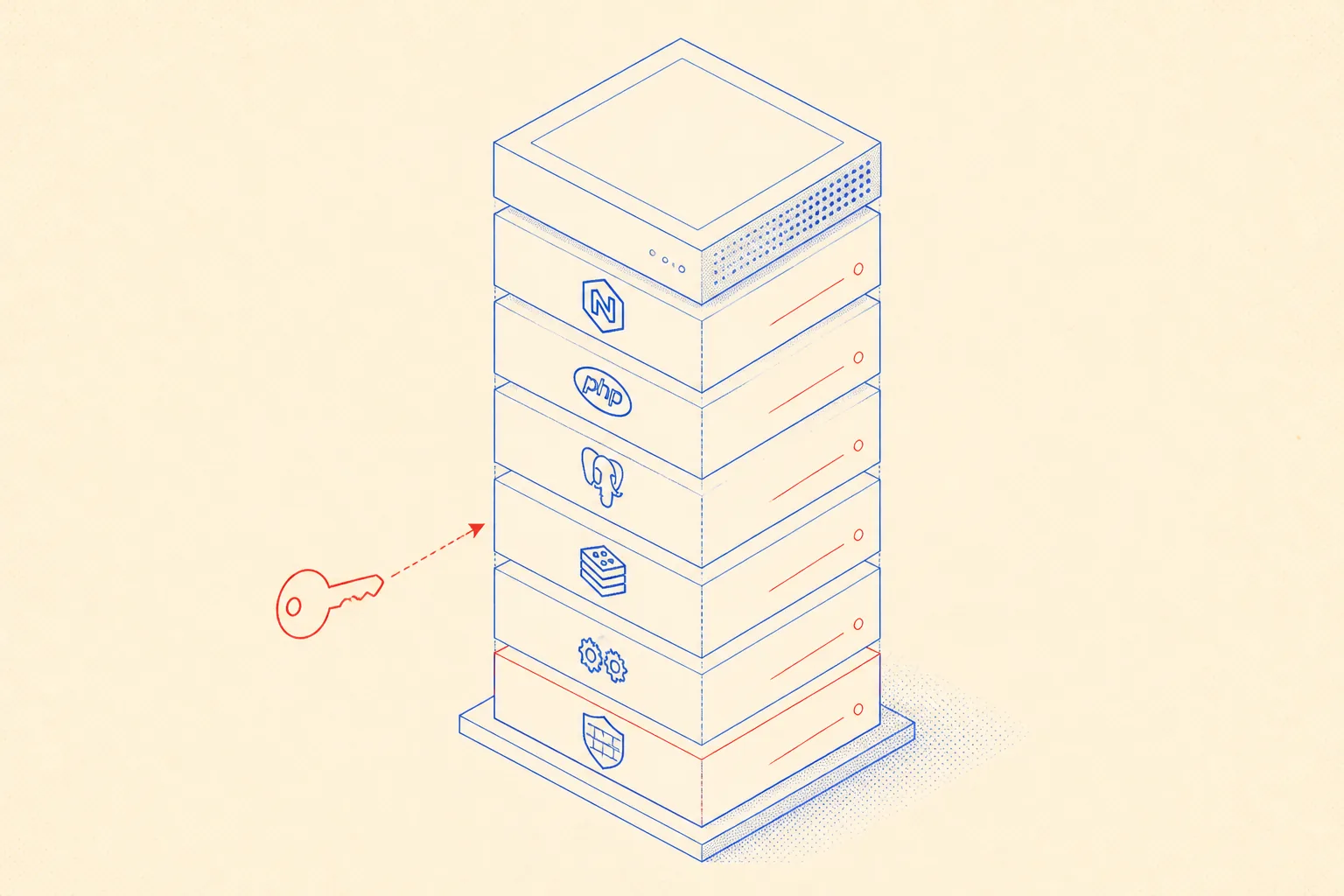
Connect your DigitalOcean, Hetzner, or Vultr account via the Ploi API token and the dashboard will create the droplet for you. Or point Ploi at a server you already own by dropping in an IP and letting it install its agent. Either way, the bootstrap script configures a non-root sudo user, locks down SSH to key-only auth, sets up ufw with sensible defaults, installs PHP (or Node, or both), nginx, MySQL or PostgreSQL, Redis, and supervisor. All of that in one click.
What you get at the end is not a fragile snowflake. The nginx vhost files, supervisor configs, and cron entries are all on disk in predictable paths. You can SSH in, inspect everything, and edit it directly. Ploi will sync its understanding of the server on the next deploy, or you can nudge it via the dashboard. No black boxes.
Zero-Downtime Git Deploys
Every site you create in Ploi gets a deploy script. The default is sensible: pull from your git remote, install dependencies, run migrations, clear cache, reload php-fpm. You can edit it to whatever you need. Ploi uses the deployer-style atomic symlink approach by default, so incoming requests keep hitting the old release until the new one is fully built.
Trigger a deploy by pushing to your branch, by a webhook from GitHub Actions, or by calling the Ploi REST API. The last option is important: it means any automated process, including an AI coding agent, can kick off a production deploy with a single HTTP call and no further access to your server.
#!/usr/bin/env bash
# deploy.sh  --  called by CI or by a Ploi deploy hook
set -euo pipefail

APP_DIR="/var/www/myapp/current"

cd "$APP_DIR"

echo "[deploy] pulling latest release..."
git fetch --depth=1 origin main
git reset --hard origin/main

echo "[deploy] installing dependencies..."
composer install --no-dev --optimize-autoloader --no-interaction

echo "[deploy] running migrations..."
php artisan migrate --force

echo "[deploy] warming cache..."
php artisan config:cache
php artisan route:cache
php artisan view:cache

echo "[deploy] restarting queue workers..."
php artisan queue:restart

echo "[deploy] reloading php-fpm..."
sudo systemctl reload php8.3-fpm

echo "[deploy] done."
Paste that script into Ploi's deploy script editor. Every git push to main triggers it through the webhook Ploi registers in GitHub automatically. The queue restart is safe because supervisor keeps workers running until the old jobs are drained and the new worker binary takes over.
SSL, Cron, Queue Workers, and Backups
Auto-renewing SSL is a checkbox. Ploi runs certbot, writes the nginx stanza, and renews before expiry. You will never touch a certificate again unless you want to bring your own.
Cron jobs live in the Ploi dashboard as human-readable entries. You fill in the schedule, the command, and which site user to run it as. Ploi writes the actual crontab line on the server. Here is a typical schedule for a Laravel app:
# Ploi cron entries (stored in dashboard, written to server crontab)
# Schedule: every minute
# Command:  cd /var/www/myapp/current && php artisan schedule:run >> /dev/null 2>&1
# User:     ploi

# Schedule: 0 3 * * *
# Command:  cd /var/www/myapp/current && php artisan backup:run --only-db
# User:     ploi

# Schedule: 0 4 * * 0
# Command:  certbot renew --quiet --deploy-hook "systemctl reload nginx"
# User:     root
Queue workers are supervisor processes. Ploi writes a supervisor config per worker group, sets the restart policy, and gives you a button to restart or pause them. If a worker crashes it restarts automatically. You can define multiple worker groups with different queues and concurrency levels, which covers 90 percent of real production setups.
Database backups are scheduled from the dashboard too: pick a database, a schedule, and a destination (S3, Backblaze, or a custom S3-compatible endpoint). Ploi runs a mysqldump or pg_dump, compresses it, uploads it, and prunes old backups according to the retention window you set. The files land in your own storage bucket, not Ploi's.
Ephemeral SSH, by API
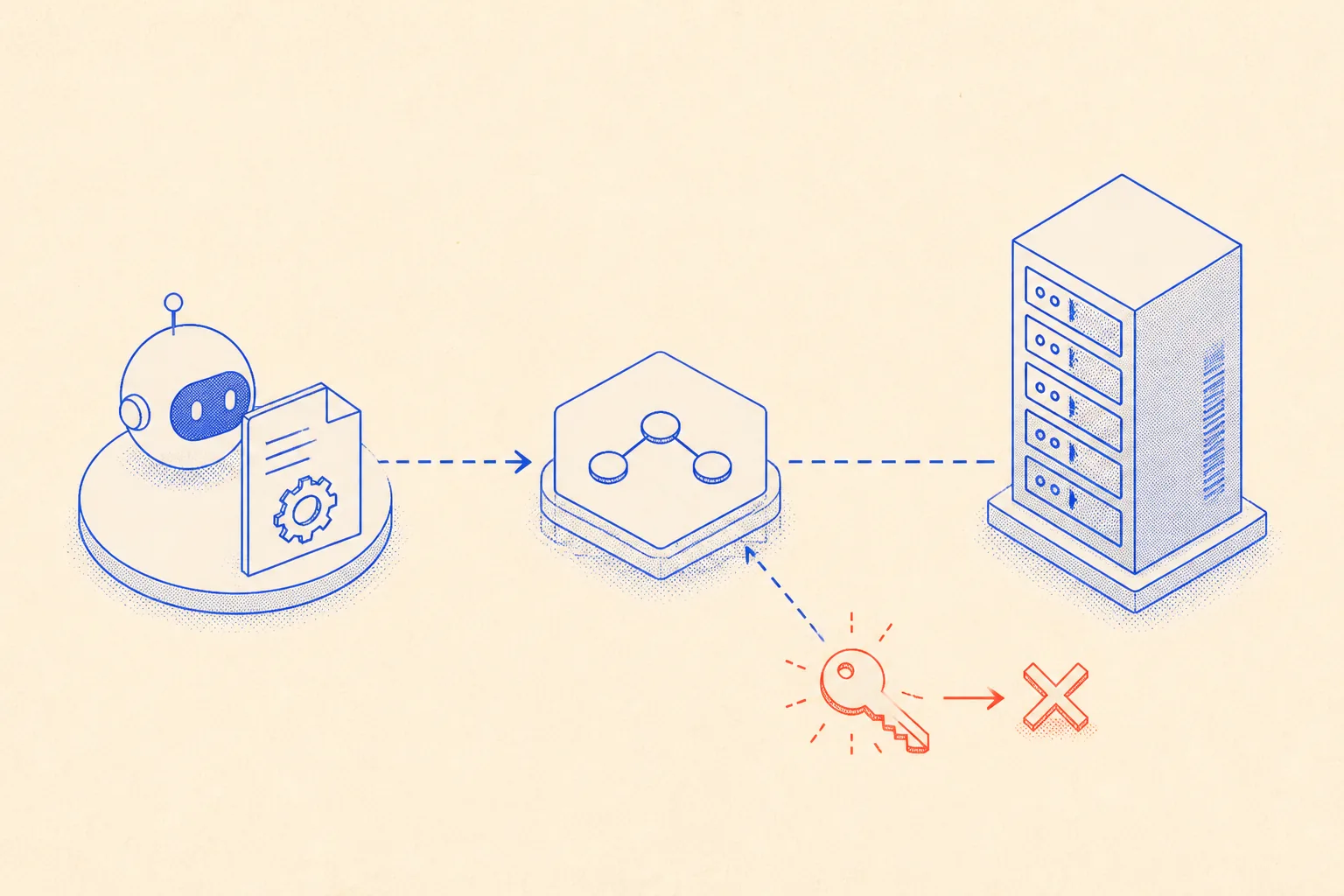
This is the part most people miss. Ploi exposes a full REST API for everything the dashboard can do, including key management. An AI agent, a CI pipeline, or a script can create a fresh SSH key pair, attach the public key to a specific server, do its work over SSH, and then delete the key. The server never holds a lingering credential.
Here is a condensed flow. Your agent generates an RSA key pair in memory, registers the public key via the Ploi API, connects over SSH, runs whatever it was asked to do, and then calls DELETE on the key resource:
import { execSync } from 'child_process';
import { generateKeyPairSync } from 'crypto';

const PLOI_TOKEN = process.env.PLOI_TOKEN!;
const SERVER_ID  = process.env.PLOI_SERVER_ID!;
const SERVER_IP  = process.env.SERVER_IP!;
const BASE       = 'https://ploi.io/api';

// 1. Generate ephemeral key pair in memory
const { publicKey, privateKey } = generateKeyPairSync('rsa', {
  modulusLength: 4096,
  publicKeyEncoding:  { type: 'pkcs1', format: 'pem' },
  privateKeyEncoding: { type: 'pkcs1', format: 'pem' },
});

// 2. Register public key on the target server
const addRes = await fetch(`${BASE}/servers/${SERVER_ID}/ssh-keys`, {
  method: 'POST',
  headers: {
    Authorization: `Bearer ${PLOI_TOKEN}`,
    'Content-Type': 'application/json',
    Accept: 'application/json',
  },
  body: JSON.stringify({ name: 'agent-ephemeral', key: publicKey }),
});
const { id: keyId } = (await addRes.json()).sshKey;

// 3. Write private key to a temp file, chmod 600, connect and run command
const keyFile = `/tmp/agent-${Date.now()}.pem`;
require('fs').writeFileSync(keyFile, privateKey, { mode: 0o600 });
try {
  const output = execSync(
    `ssh -i "${keyFile}" -o StrictHostKeyChecking=no ploi@${SERVER_IP} "php artisan queue:restart"`,
    { encoding: 'utf8' }
  );
  console.log('[agent] remote output:', output.trim());
} finally {
  // 4. Delete the key via API and remove the temp file
  await fetch(`${BASE}/servers/${SERVER_ID}/ssh-keys/${keyId}`, {
    method: 'DELETE',
    headers: { Authorization: `Bearer ${PLOI_TOKEN}`, Accept: 'application/json' },
  });
  require('fs').unlinkSync(keyFile);
  console.log('[agent] ephemeral key deleted, server secured.');
}
No persistent keys, no shared secrets in a .authorized_keys file that accumulates over time. Each agent run is isolated. If the agent crashes after step 2 and never reaches step 4, you can write a cleanup job that calls GET /servers/:id/ssh-keys and removes any key whose name starts with agent-ephemeral and is older than an hour.
No Lock-in, Just SSH
Ploi's whole model is that it manages your server over SSH. It does not run a sidecar process, does not intercept traffic, and does not require any Ploi-specific software to be installed permanently. The nginx configs, supervisor units, crontabs, and deploy scripts are all standard files on a standard Linux box.
If Ploi disappeared tomorrow, your server would keep running. You would lose the dashboard and the deploy webhooks, but the actual infrastructure is unchanged. Compare that to a PaaS where the moment you stop paying, your containers evaporate.
Ploi does not own your infrastructure. It just talks to it. That distinction is everything.
Running Ploi with an AI Coding Agent
When an AI coding agent (Claude Code, Cursor, or any tool that reads project-level markdown) works on a codebase deployed via Ploi, it needs to know the server topology, which commands trigger deploys, and how to recover from common failures. Without that context, every session starts from zero and the agent will make conservative guesses or ask you the same questions repeatedly.
The fix is a persistent AGENTS.md file committed to the repository. The agent reads it at the start of every session and uses it as long-term memory for the infrastructure. Here is a realistic example:
# AGENTS.md, Infrastructure Memory for AI Coding Agents

## Ploi Server Setup

- Provider: Hetzner CX22, Ubuntu 24.04
- Ploi server ID: 4821  (env: PLOI_SERVER_ID)
- Public IP: 95.111.42.7  (env: SERVER_IP)
- Site ID: 9103  (for deploy webhook calls)
- PHP: 8.3, nginx, PostgreSQL 16, Redis 7, supervisor

## Deploy

Trigger a deploy by calling the Ploi API:

  POST https://ploi.io/api/sites/9103/deploy
  Authorization: Bearer $PLOI_TOKEN

Zero-downtime: symlink swap. Old release stays live until new release is fully built.
Deploy script path on server: /etc/ploi/deploy-scripts/site-9103.sh

## Queues

Workers are managed by supervisor. To restart after a code change:

  ssh ploi@95.111.42.7 "php artisan queue:restart"

Or trigger via the ephemeral SSH flow in scripts/agent-ssh.ts.
Worker logs: /var/www/myapp/current/storage/logs/worker-*.log

## Cron

PHP scheduler runs every minute:
  cd /var/www/myapp/current && php artisan schedule:run

DB backup runs daily at 03:00 UTC, sent to Backblaze bucket `myapp-backups`.

## SSL

Managed by certbot via Ploi. Cert path: /etc/letsencrypt/live/myapp.com/
Renews automatically. Do not touch unless domain changes.

## Common Gotchas

- After editing .env on the server, run `php artisan config:cache` or changes are ignored.
- Queue workers cache config on boot. Always run `queue:restart` after a deploy.
- The ploi user owns /var/www. Do not sudo-write files there or nginx will 403.
- Ploi writes supervisor configs to /etc/supervisor/conf.d/ploi-*.conf. Do not rename them.

## Cleanup Protocol

After any agent session that used ephemeral SSH keys:
  GET https://ploi.io/api/servers/4821/ssh-keys
  DELETE any key with name prefix "agent-ephemeral" older than 60 minutes.
With this file in place, the agent knows where to look, what to run, and what to avoid. It does not need to rediscover the server ID from environment variables or guess at the deploy command. The AGENTS.md also records the cleanup protocol for ephemeral keys, so even if an agent session was interrupted before it finished, the next session knows what to clean up.
Treat AGENTS.md as a living document. When you add a new queue worker, update the supervisor section. When you change the deploy script, update the path. The investment is small and the payoff is an agent that acts like it has been running your infra for months.
What This Costs and When It Makes Sense
Ploi charges a flat monthly fee per server, currently around eight euros for the first server. That covers unlimited sites on that server. Add a five-euro Hetzner CX22 and you have a production-grade host for a handful of apps at under fifteen euros per month total. Vercel or Railway at equivalent usage will run you three to five times that.
The tradeoff is real: you own the server, which means you own the OS patches, the disk, and the occasional crash at 2am. For projects that need a database, background jobs, or a custom binary, the math strongly favors a VPS plus Ploi over any managed PaaS. For a simple static site or a pure serverless API, the PaaS probably wins on convenience.
- Best fit: Laravel, Rails, Django, or any app with a database, queue, and cron.
- Good fit: Node services that need a persistent process and a Redis connection.
- Neutral fit: Static sites that just need a fast CDN. Use a CDN instead.
- Poor fit: Teams that want GitOps, Kubernetes, or infrastructure-as-code in version control. Ploi is not Terraform.
For a solo developer or a small team where one person owns the infra, Ploi eliminates the operational overhead without adding a new abstraction you have to fight. The server is yours, the files are normal, and the SSH key is in your hands. That is the whole point.