The goal is simple: push a commit, close the laptop, and trust that the box will handle the rest. No SSH session to babysit. No manual npm run build at midnight. The server fetches the new code, rebuilds only what changed, restarts the affected process, and keeps serving traffic. When the machine reboots after a kernel update, every site comes back up on its own. That is the contract.
This is not magic. It is a handful of small, composable pieces each doing one job reliably. A supervisor per app. Nginx and the supervisor enabled on boot. A cron that runs at 3am and checks for upstream changes. Automated database backups with off-site copies and a tested restore path. TLS certificates that renew themselves. Combine them and you get a server that behaves like a managed platform without the managed-platform price tag.
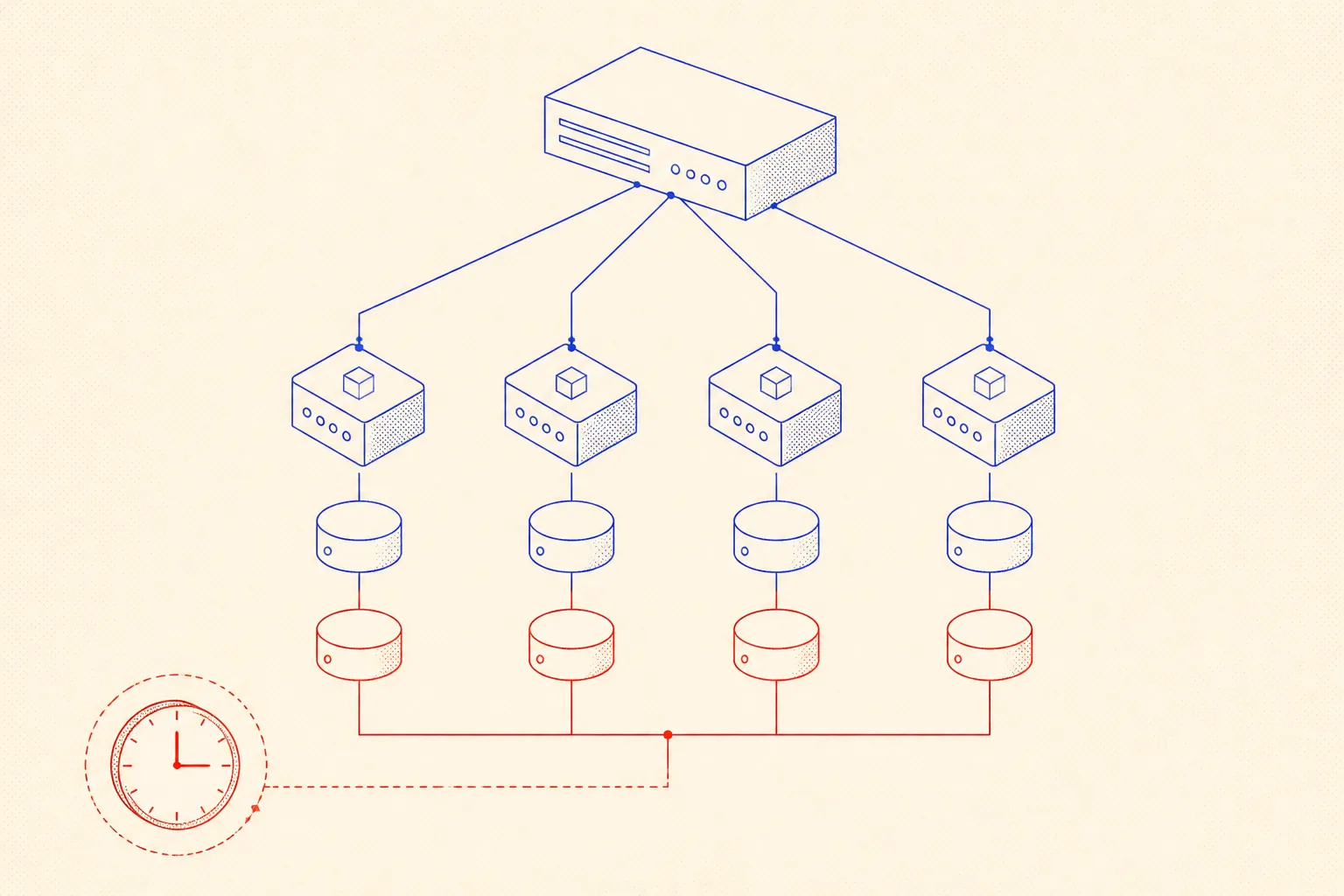
The Philosophy: Idempotent, Observable, No Manual Steps
Three rules govern every decision here. Idempotent: running any script twice produces the same result as running it once. Observable: every automated action writes a log line so you know what happened without digging. No manual steps: if recovering from a crash requires human input, the system is broken by design.
The nightly update script exemplifies all three. It checks whether the local HEAD matches the remote. If they match, it logs "no changes, skipping" and exits cleanly. If they differ, it pulls, rebuilds, and restarts. Running it twice in a row when there are no new commits is harmless. Every line it touches goes to a log file. No one has to SSH in.
Supervisor: the Process That Never Lets Your App Stay Dead
Supervisord is a process supervisor for Linux. You describe your app in an INI block, and it keeps the process alive indefinitely. Crash? Restart. OOM kill? Restart. Server rebooted? Restart on boot. autostart=true and autorestart=true are the two lines that replace a whole category of on-call incidents.
I run four sites on this server: jumpinotech, wegweiserlife, nearyou, and luci. Each gets its own supervisor program block, its own port, and its own log file. Nginx proxies from 443 to those ports. Supervisor and Nginx are both enabled as systemd services so they start on boot before anything else.
[program:site-jumpinotech]
command=/usr/bin/node /var/www/jumpinotech/server.js
directory=/var/www/jumpinotech
user=deploy
autostart=true
autorestart=true
startretries=5
stopwaitsecs=10
stdout_logfile=/var/log/supervisor/jumpinotech.log
stderr_logfile=/var/log/supervisor/jumpinotech.err
environment=NODE_ENV="production",PORT="3001"
Install with sudo apt install supervisor, drop this block into /etc/supervisor/conf.d/site-jumpinotech.conf, then run sudo supervisorctl reread && sudo supervisorctl update. One command to check status across all four sites: sudo supervisorctl status. One command to tail a specific log: sudo supervisorctl tail -f site-jumpinotech.
The 3am Cron: Rebuild Only What Changed
A cron job fires at 3am every night. It loops over all four site directories, fetches from the remote, and compares the local HEAD to the remote HEAD. If they match, it skips. If they differ, it pulls, runs npm ci and npm run build, then restarts that specific supervisor program. Sites that did not change keep serving from the existing build.
This matters. If you push a fix to jumpinotech at 11pm and the cron runs at 3am, only jumpinotech rebuilds. The other three sites are untouched. Build time is proportional to actual changes, not to the number of apps on the box.
#!/usr/bin/env bash
# nightly-update.sh -- runs at 03:00 via cron as user deploy
# Rebuilds and restarts only sites whose upstream changed.
set -euo pipefail

SITES="/var/www/jumpinotech /var/www/wegweiserlife /var/www/nearyou /var/www/luci"
LOG="/var/log/nightly-update.log"

echo "--- update run at $(date) ---" >> "$LOG"

for SITE in $SITES; do
  cd "$SITE"
  git fetch origin main --quiet

  LOCAL=$(git rev-parse HEAD)
  REMOTE=$(git rev-parse origin/main)

  if [ "$LOCAL" = "$REMOTE" ]; then
    echo "$SITE: no changes, skipping" >> "$LOG"
    continue
  fi

  echo "$SITE: pulling and rebuilding..." >> "$LOG"
  git pull origin main --quiet
  npm ci --quiet
  npm run build --quiet

  PROG=$(basename "$SITE")
  sudo supervisorctl restart "$PROG" >> "$LOG" 2>&1
  echo "$SITE: restarted OK" >> "$LOG"
done

echo "--- done ---" >> "$LOG"
Add it to the deploy user crontab with crontab -e and the line 0 3 * * * /home/deploy/scripts/nightly-update.sh. The script needs NOPASSWD sudo for supervisorctl. Add that once to /etc/sudoers.d/deploy and you are done.
Database Backups and a Tested Restore
A backup nobody has tried to restore from is not a backup, it is a comfort blanket. My setup: pg_dump runs at 2am, one hour before the nightly update. The dump is gzip-compressed and uploaded to an R2 bucket with rclone. Old dumps are purged after 14 days both locally and remotely.
# Database backup -- add to deploy user crontab with: crontab -e
# Runs at 02:00 every night; keeps 14 days of compressed dumps off-site.
0 2 * * * /home/deploy/scripts/db-backup.sh >> /var/log/db-backup.log 2>&1

# db-backup.sh content:
# !/usr/bin/env bash
# set -euo pipefail
# STAMP=$(date +'%Y-%m-%d')
# DUMP="/tmp/db_backup_STAMP.sql.gz"
# pg_dump -U appuser appdb | gzip > "$DUMP"
# rclone copy "$DUMP" r2:my-backups/postgres/
# find /tmp -name 'db_backup_*.sql.gz' -mtime +1 -delete
# rclone delete --min-age 15d r2:my-backups/postgres/- pg_dump produces a plain SQL dump, readable and portable across Postgres versions
- gzip cuts the file size roughly in half for most schema and data mixes
- rclone handles the off-site upload; configure it once with
rclone config - R2 has zero egress fees, which matters when you restore under pressure
- Test the restore quarterly: download the latest dump, spin up a temp database, run psql, verify row counts
TLS That Renews Itself
Expired certificates are embarrassing and avoidable. Two good paths exist. If the domain is behind Cloudflare, use Full (strict) mode with a Cloudflare origin certificate: it is valid for 15 years on the origin and Cloudflare handles the browser-facing cert. No renewal needed, ever. If you prefer certbot, install it, run sudo certbot --nginx, and the systemd timer it installs runs twice a day to renew any certificate expiring within 30 days.
I use Cloudflare for all four sites. The origin cert lives at /etc/ssl/cloudflare/origin.pem. Nginx points to it. As long as Cloudflare is in front, browsers see a valid certificate maintained by Cloudflare, and the origin cert never expires in practice.

Giving an AI Agent a Persistent Ops Runbook
I use Claude Code as a coding and ops agent on all these projects. The problem with AI agents and infrastructure is memory: every session starts blank. The agent does not know your port assignments, your supervisor program names, your restore procedure, or why the cron runs at 3am and not 2am. You repeat yourself, or you get hallucinated commands that almost match reality.
The fix is a checked-in AGENTS.md file at the project root. Claude Code reads it automatically at session start via its CLAUDE.md convention. The file contains the ops runbook: port table, supervisor names, cron schedule, TLS setup, restore steps, known gotchas. When something changes, I tell the agent to update the file. It becomes the single source of truth that survives context window resets.
The format is deliberately terse. No prose. Just facts the agent can act on directly.
# Ops Runbook

## Sites and Ports
| App            | Port | Supervisor name   |
|----------------|------|-------------------|
| jumpinotech    | 3001 | site-jumpinotech  |
| wegweiserlife  | 3002 | site-wegweiserlife|
| nearyou        | 3003 | site-nearyou      |
| luci           | 3004 | site-luci         |

## Nginx
- Config root: /etc/nginx/sites-enabled/
- Reload: sudo nginx -s reload
- All four sites proxied from 443 to the port above.

## Supervisor
- Config dir: /etc/supervisor/conf.d/
- Commands: sudo supervisorctl status | restart <name> | tail <name>

## Cron (deploy user)
- 03:00 nightly: /home/deploy/scripts/nightly-update.sh
- 02:00 nightly: /home/deploy/scripts/db-backup.sh

## TLS
- Provider: Cloudflare (proxied + Full strict mode)
- Fallback: certbot --nginx, timer: systemctl status certbot.timer

## Database Restore
1. Download latest dump from R2 bucket: rclone copy r2:my-backups/postgres/STAMP.sql.gz /tmp/
2. gunzip /tmp/STAMP.sql.gz
3. psql -U appuser appdb < /tmp/STAMP.sql

## Known Gotchas
- nightly-update.sh needs NOPASSWD sudo for supervisorctl (already in /etc/sudoers.d/deploy)
- Cloudflare origin cert lives at /etc/ssl/cloudflare/origin.pem -- do not delete
With that file in the repo, I open a session and say "restart site-nearyou and check its log for errors." The agent knows the supervisor name, the command syntax, and where the log lives. It does not ask. It does not guess. It acts. Same for "show me the last backup timestamp" or "what port does luci run on." The runbook answers those before I finish typing the question.
The Full Stack, Summarized
Here is everything in one place. Four Next.js sites, each on its own port (3001 to 3004), supervised by supervisord, proxied by nginx. Both supervisord and nginx are systemd-enabled on boot. A cron at 3am checks each site for upstream changes and rebuilds only the ones that changed. A separate cron at 2am dumps the Postgres database, compresses it, and ships it to R2. TLS is Cloudflare in front with an origin cert that does not expire on a human-relevant timescale.
Push a commit. The cron picks it up at 3am. If the build passes, the supervisor restarts the process. The site is live on the new code before anyone in Europe wakes up. If the build fails, the old process keeps running, the log records the error, and nothing goes dark. That is what self-healing actually means: not that failures are impossible, but that the system degrades gracefully and recovers without you.
"Automate the recovery path before the failure happens, not after." A system you can fix from your phone at 6am is a system that lets you sleep through the night.