 Jumpino
Updated
Start by identifying what runs where
OpenShip's mail guide separates mail-server provisioning from deployment of a browser inbox. The exact webmail application depends on the installed release. This guide concerns that self-hosted setup, rather than assuming every product called OpenMail has the same architecture.
The desktop management app can connect over SSH while public mail traffic remains blocked. SSH, HTTPS, IMAP and SMTP use different paths. Test each path from the place that actually uses it.
Which DNS records matter?
| Record | Purpose |
|---|---|
| A or AAAA | Resolves the mail hostname to an address |
| MX | Chooses the server that receives mail for the domain |
| SPF | Declares permitted senders for the envelope domain |
| DKIM | Publishes the key used to verify a message signature |
| DMARC | Defines policy and reporting for sender-domain alignment |
| PTR | Maps the sending IP back to a hostname |
Use the values generated for your mail stack, not example keys from an article. PTR is usually configured by the IP owner or VPS provider, whereas ordinary domain records are changed at the authoritative DNS provider. Google's sender guidelines explain the forward and reverse DNS expectations.
Port 25 is not the webmail port
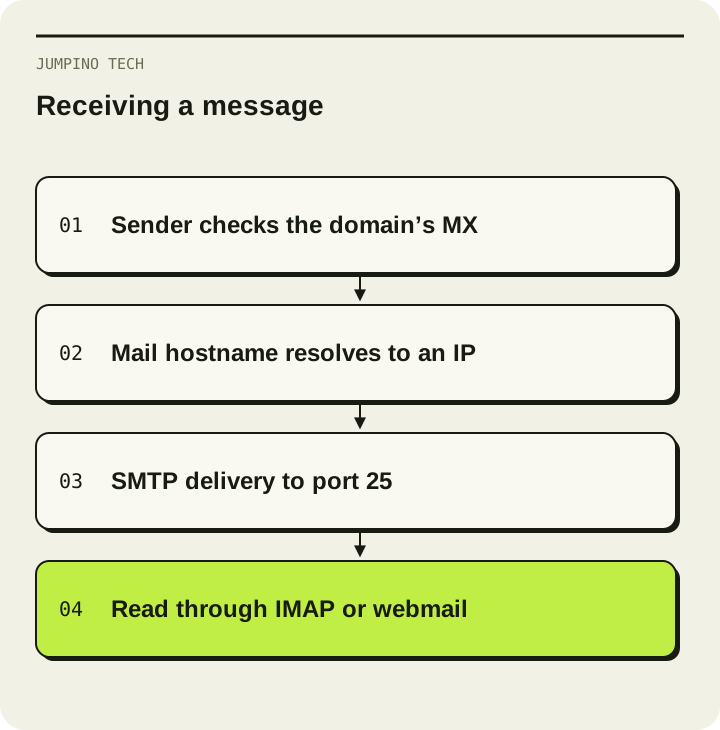
Server-to-server SMTP uses port 25. A browser login normally uses HTTPS on 443. Authenticated mail submission commonly uses 465 or 587, and IMAP over TLS uses 993. Opening the web interface does not test inbound delivery from another mail server.
Check the listener on the server, then the host firewall, the provider firewall and the public path from an independent network. Test outbound connectivity from the VPS separately. A blocked port from a laptop's network does not by itself identify a VPS firewall problem. Record which machine ran each test.
Prove the mailbox workflow
- Resolve the domain's MX and the mail hostname from outside the server.
- Confirm the certificate matches the hostname used by the client.
- Send from an external mailbox to a test account on your domain.
- Reply from that account and inspect authentication results in the recipient's headers.
- Check bounce messages and the server queue if either direction fails.
A message accepted by your own SMTP server can still fail later. Google documents common delivery error codes. SPF or DKIM passing is useful evidence, not a guarantee of inbox placement.
When should you choose managed email instead?
Choose self-hosting only if someone owns updates, backups, abuse handling and delivery troubleshooting. For a small business that mainly needs correspondence, hosted domain email with Purelymail is a different operational option. Compare responsibilities as well as subscription cost.