 Jumpino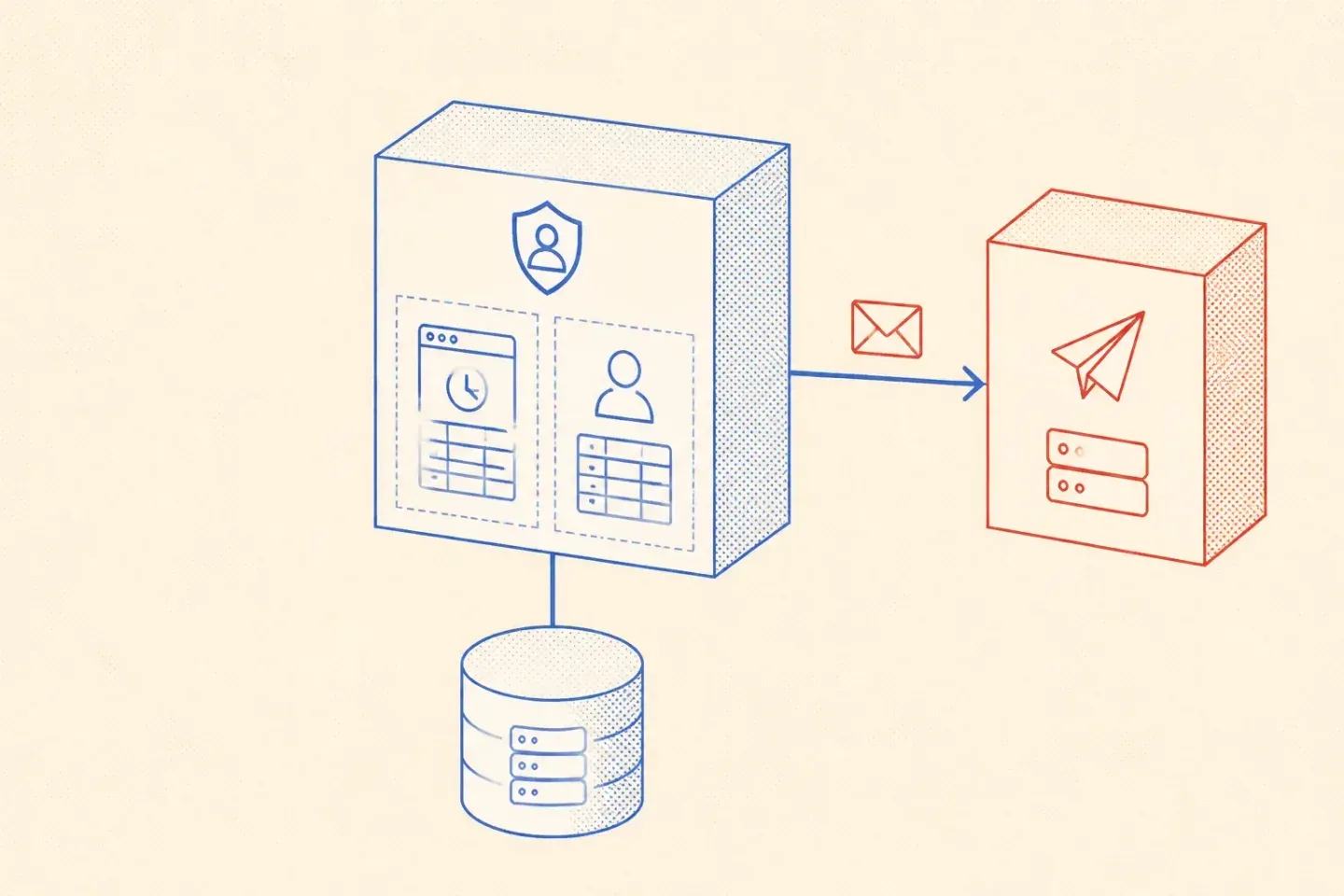
Updated
Where each responsibility belongs
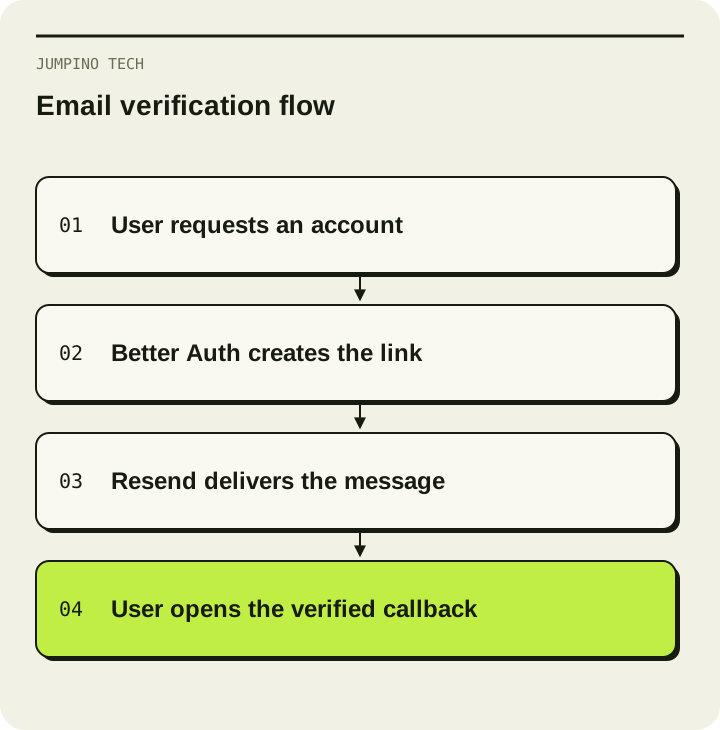
The Better Auth email and password guide documents the verification and password-reset hooks. The authentication library creates and validates the link. Your email function sends that link to the intended user. Do not build a second token mechanism in the mail template.
Resend's Node.js guide documents the sending API. Keep this call on the server. The API key belongs in server configuration, never in a public frontend variable or a browser bundle.
Build one complete verification path
First configure a sending domain and the exact DNS records displayed by Resend. The visible From address must use a domain you are allowed to send from. A testing address is not a substitute for a verified production setup. Follow the domain verification guide.
Next connect Better Auth's emailVerification.sendVerificationEmail callback to a small server-side mail function. Pass the URL supplied by the library. Handle the delivery result explicitly. An API call returning an error object is not equivalent to throwing an exception, so a broad try/catch alone may miss a rejected send.
Finally decide the sign-in behaviour. Requiring email verification, sending on registration and signing in after verification are separate product decisions. Make them deliberate rather than copying every option from a sample.
A useful debugging table
| Symptom | Check first |
|---|---|
| The hook never runs | Registration path and verification configuration |
| Resend rejects the request | Sending domain, From address and API response |
| The email arrives with a wrong link | Public application URL and callback configuration |
| The link opens but verification fails | Expiry, previous use and environment mismatch |
| Registration succeeds but email is missing | Delivery result, provider events and spam folder |
Log a correlation ID and a failure category. Avoid logging full verification links, reset tokens or API keys. Those values can grant account access.
Test failure as well as success
Use a disposable account. Check verification, an expired link, a reused link, a failed provider request and password reset. A development mail stub can confirm the callback receives a URL, but an external mailbox is needed to confirm real delivery.
Rate-limit repeated requests and define a safe retry policy. Repeatedly sending the same action without tracking its outcome can confuse the user and consume your mail allowance. Review the provider's current limits instead of relying on old free-tier numbers.
Authentication is one part of a larger product. NearYou shows a web application with distinct client, business and administrative roles. The same separation of responsibilities matters in custom web applications.